

This guide will help you How to Install Custom Maps on your Bannerlord Server
Ready to Rule? Spin Up Your Bannerlord Server Now
Custom maps are one of the best ways to transform your Bannerlord server into a unique, replayable experience that stands apart from standard multiplayer battles. Whether you’re hosting epic siege scenarios, competitive arenas, or fully customized role‑play environments, installing custom maps gives you complete control over how players experience your world. But getting those maps running smoothly isn’t always straightforward. It requires the right file structure, correct module setup, and proper server configuration. This guide walks you through the entire process step‑by‑step, ensuring your server loads custom maps reliably and your players can jump in without issues. By the end, you’ll know exactly how to prepare your files, configure your server, and bring your custom Bannerlord battlegrounds to life.
Adding Custom Maps to Your Bannerlord Server
Go to your Game Control Panel and make sure to stop the server before making any changes.
If you want a faster setup, we also provide preloaded custom maps that you can install with a single click through the Mod Manager tab.
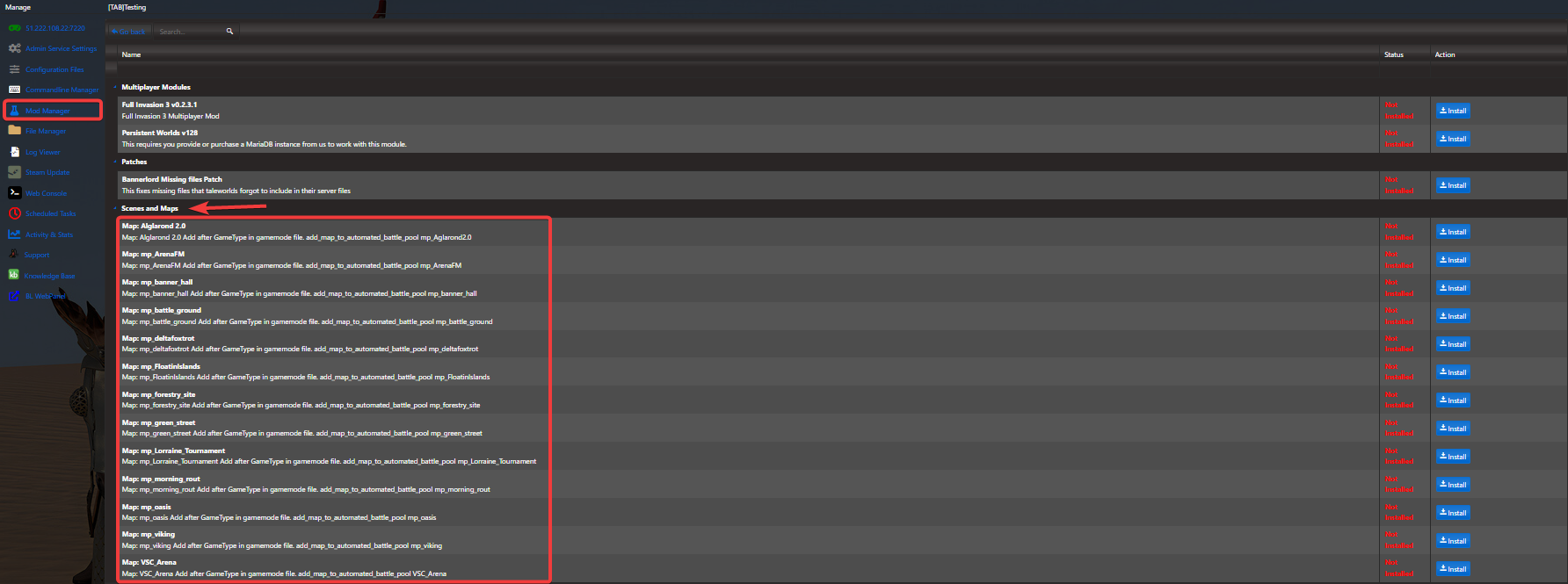
For installing custom maps that aren’t available in our Mod Manager, follow these steps:
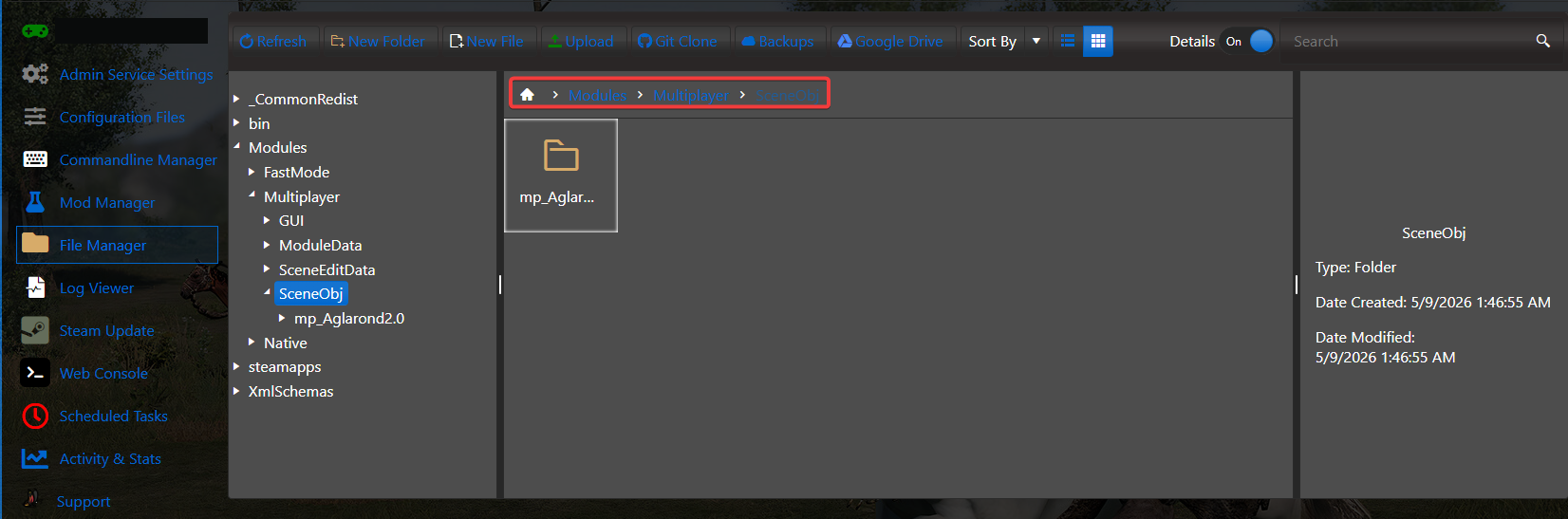
Download the custom map files you want to use, then compress the map folder(s) into a single .zip file. Next, open the File Manager tab in your Control Panel and upload the archive to:
<Home>/Modules/Multiplayer/SceneObj
Once uploaded, extract the zip file to complete the installation.
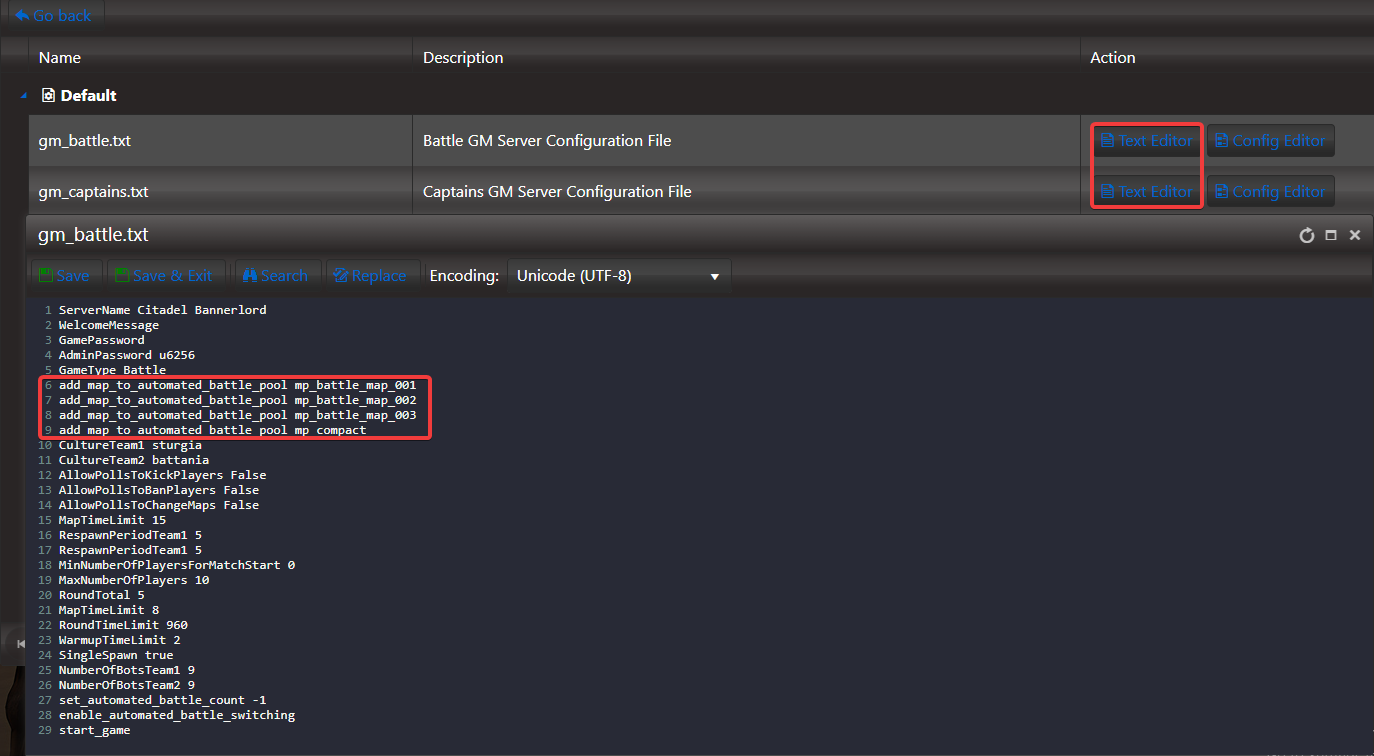
Once your custom map folders are placed inside the SceneObj directory, open the configuration file for the game mode you want to modify. Locate the section where the map list is defined, then add your custom map to that list. Be sure to include the required prefix:
add_map_to_automated_battle_pool
Place this prefix directly before the actual map name, save the file, and your server will recognize the new map.
You can now start your server, and the newly installed custom maps will load and function as part of your rotation.
If you encountered issues during the process,
Please click here to send a ticket to our team.
