

This guide will help you How to Generate Tokens Fast in the Bannerlord Server
Ready to Rule? Spin Up Your Bannerlord Server Now
Generating tokens quickly on a Bannerlord server isn’t just a convenience. It’s the backbone of faster progression, stronger gear, and a real edge over other players. Whether you’re grinding through battles, completing server‑specific tasks, or optimizing your playstyle, understanding how token systems work can dramatically speed up your growth. This guide breaks down the most efficient methods, the mechanics behind token rewards, and the strategies top players use to maximize gains with minimal wasted time. By the end, you’ll know exactly how to turn every session into a steady stream of tokens and push your Bannerlord experience to the next level.
Mastering Token Generation in Mount & Blade II: Bannerlord
Please note that the auth token will support up to 5 servers for 3 months at a time. After 3 months, you will need to recreate the token.
Beware that the generated token is tied to your Bannerlord account. Any abuse would be traced back to the user who originally generated the token. We recommend keeping it private and not sharing it with other people.
1. Launch Mount & Blade II: Bannerlord multiplayer and log in to the game lobby:
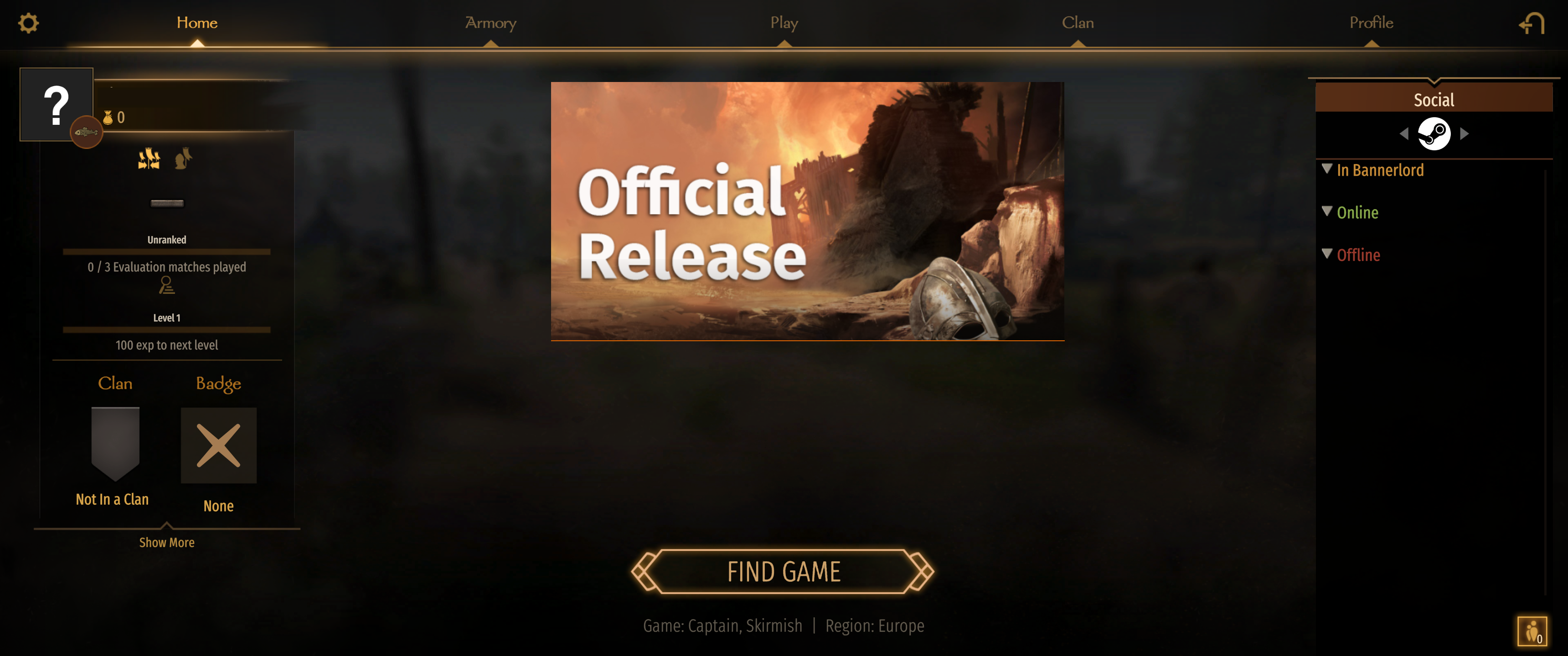
Open the game console by pressing ALT + tilde key (~):
In the box that appears, type in customserver.gettoken and press enter
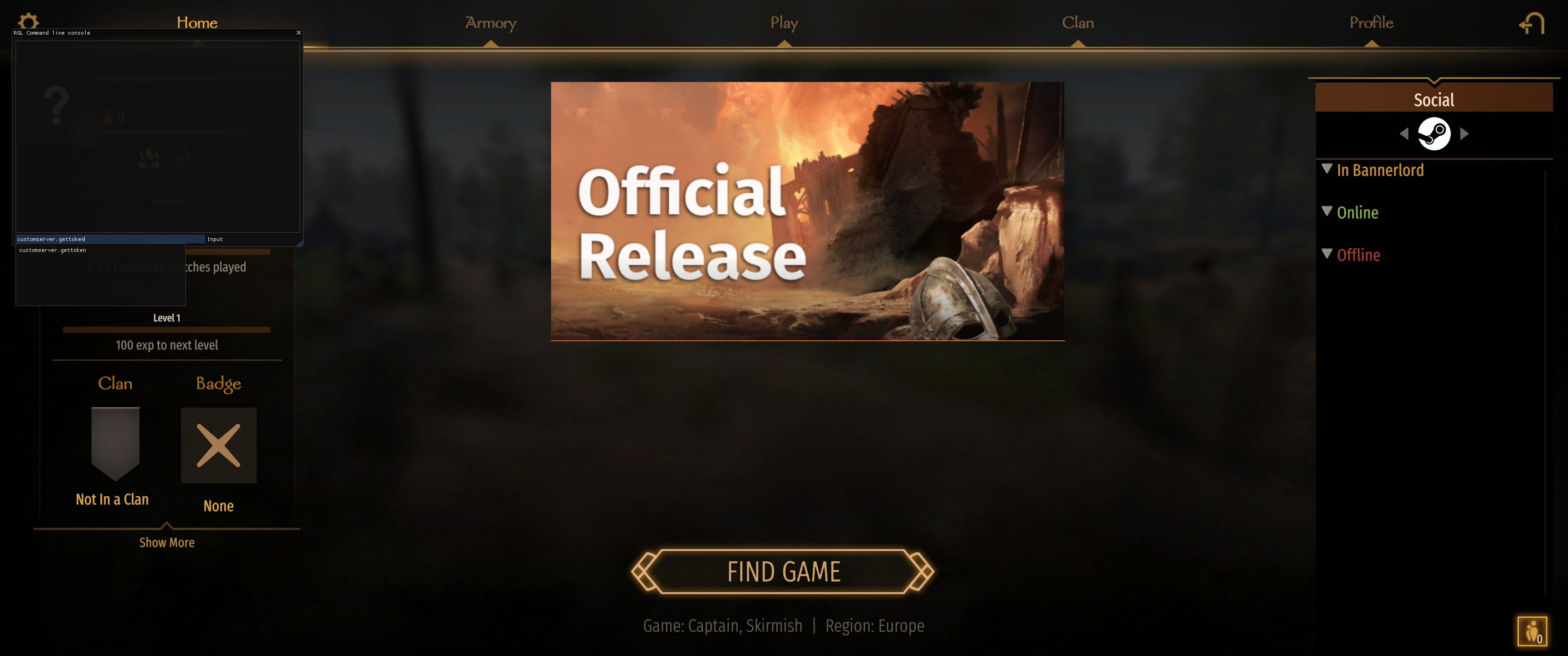
Your token will now be generated and saved in the file DedicatedCustomServerAuthToken.txt located at your Documents\Mount & Blade II Bannerlord\Tokens folder on your PC.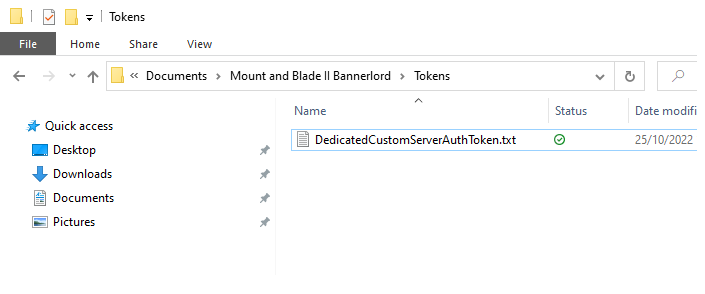
Open that file and copy the token.
2. Go to your command-line manager option on your game panel and click "Modify" on your current active command line.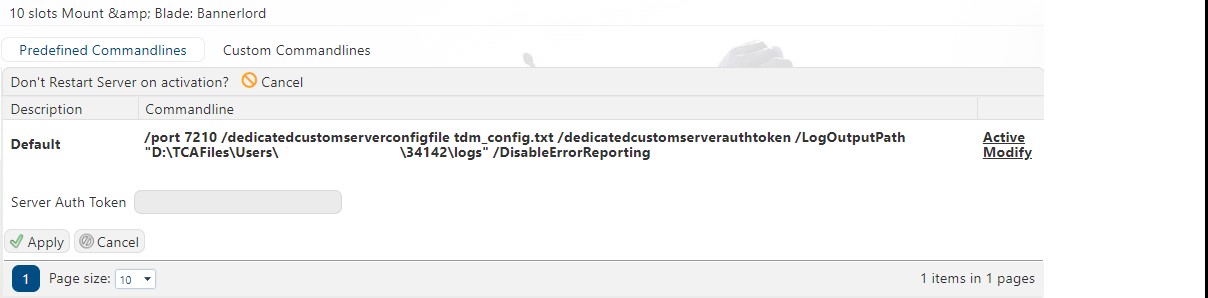
Paste your token in the Server Auth Token box.
Click "Apply" and restart your server.
Please click here to send a ticket to our team.
