

This guide will help you on how to configure multipliers/xp rates on your Citadel: Forged with Fire server.
Click here to order your Citadel Forged With Fire server with AA Game Hosting today!
Customizing gameplay settings is a key part of managing a Citadel: Forged with Fire server, and one of the most impactful adjustments you can make involves configuring multipliers especially experience (XP) rates. These settings allow server owners to fine-tune progression speed, resource yields, and overall difficulty to match their community’s playstyle, whether it's fast-paced PvP, immersive roleplay, or balanced PvE. Multipliers are controlled through the server’s Game.ini configuration file, which governs how much XP players earn, how many resources they gather, and how quickly they unlock abilities.
Configuring Multipliers/XP Rates on your Citadel Forged with Fire Server
1. Log in to your Game Control Panel and navigate to your service.
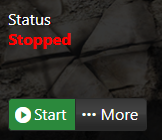
2. Before making any changes, make sure that your server is stopped.
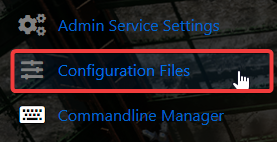
3. Navigate to Configuration Files.
4. On the Configuration Files, look for Citadel\Saved\Config\WindowsServer\Game.ini file and click the Text Editor.
5. Look for WorldCreationSettings.
6. Configure the multipliers for XP gain, knowledge point gain, and etc. to your preferences.
7. After editing, click the Save button to apply the changes.
Need further assistance?
Please click here to contact support via a ticket.
