

This guide will help you on how to be an admin on your Citadel: Forged with Fire server.
Click here to order your Citadel Forged With Fire server with AA Game Hosting today!
So, you’ve built your kingdom, tamed beasts, and mastered the arcane arts but now it’s time to wield the ultimate power: admin control. Becoming an admin on your Citadel: Forged With Fire server isn’t just about authority it’s about unlocking the tools to shape your world, enforce your rules, and protect your realm from chaos. Whether you want to spawn items, manage players, or fine-tune server settings on the fly, this guide will show you how to claim your rightful place on the throne of server management.
Adding Admins on your Citadel Forge with Fire Server
1. Log in to your Game Control Panel and navigate to your service.
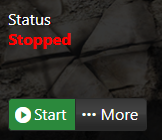
2. Before making any changes, make sure that your server is stopped.
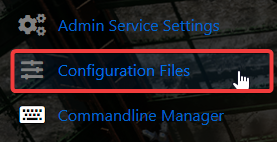
3. Navigate to Configuration Files.
4. On the Configuration Files, look for Citadel\Saved\Config\WindowsServer\Game.ini file and click the Text Editor.
5. Locate the Password field this displays the current server password you set during your initial purchase. If no password was set at that time, we recommend setting one now to secure your server.
6. Once the password is set, start your server and join the server.
7. Once you are in the game, open the in-game chat box and type the following command:
/admin_logon YOURPASSWORD
8. You should then receive a message telling you that you are now logged in as an admin.
Need further assistance?
Please click here to contact support via a ticket.
