

This guide will help you learn how to edit the server name, World Name, and Password in the Necesse Server
Don't have a Necesse Game Server yet? Click here to order now!
Customizing your Necesse server is one of the easiest ways to make your world feel truly your own. Whether you’re hosting a private adventure with friends or building a public community, updating your server name, world name, and password helps set the tone, improve organization, and control who can join. These small adjustments can make your server more recognizable, more secure, and far more personal. This guide walks you through the process step by step, breaking down where these settings are located and how to change them safely. Even if you’re new to server management, you’ll find the instructions straightforward and beginner‑friendly. By the end, you’ll have a fully customized server identity that reflects the experience you want to create.
Updating Server Name, World Name, and Password in Necesse Server
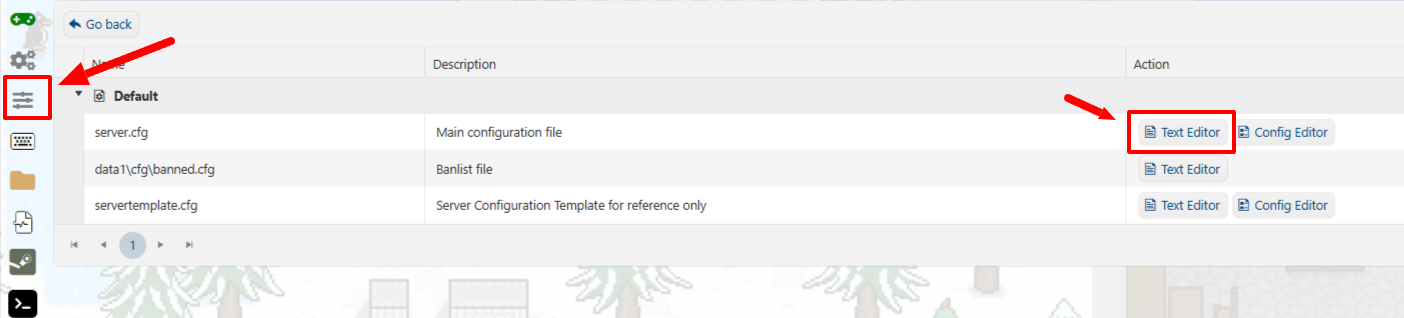
In your Game Panel, go to the sidebar and click Configuration Files.
You’ll see a list of editable files, including server.cfg and worldSettings.cfg.
Step 2: Edit the Server Configuration
Next to server.cfg Click the Text Editor option.
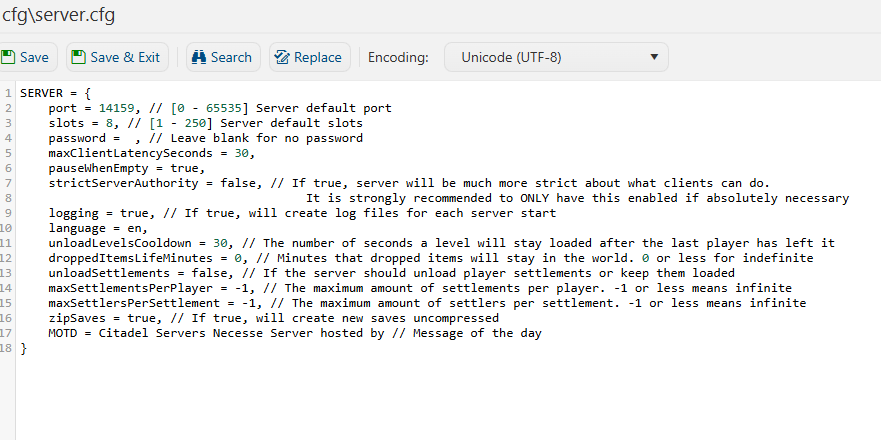
You’ll see a configuration layout similar to the example below:
Step 3: Change Your Server Password
To secure your server, you can set a custom password:
Locate the line that says:
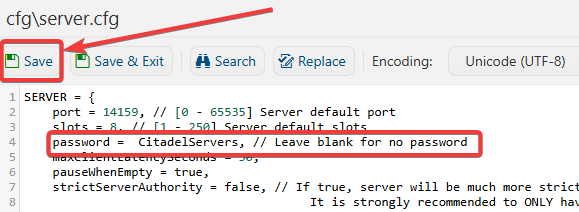
password = test, // Leave blank for no password
Replace “test” with your desired password, for example:
password = CitadelServers,
Click Save.
Restart your server from the main Game Panel.
Step 4: Change Your Server Name and World Name
You can set a custom Server Name to easily identify your world on the server.
Go back to the Configuration Files section in your Game Panel.
Click Config Editor next to server.cfg.
You can also change the World Name of your server here.
For example, to change the world and server name:
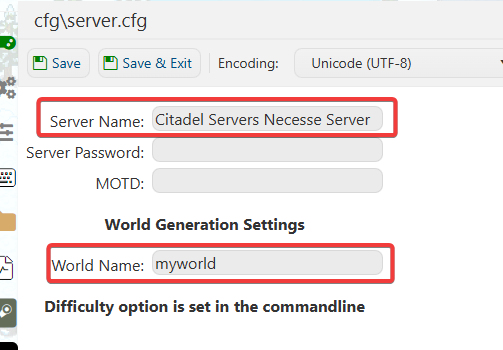
Click Save, then restart your server to apply the change.
Step 5: Edit Other World Settings
To modify gameplay settings like difficulty, PvP, or raid frequency:
In the same worldSettings.cfg file, locate the following options:
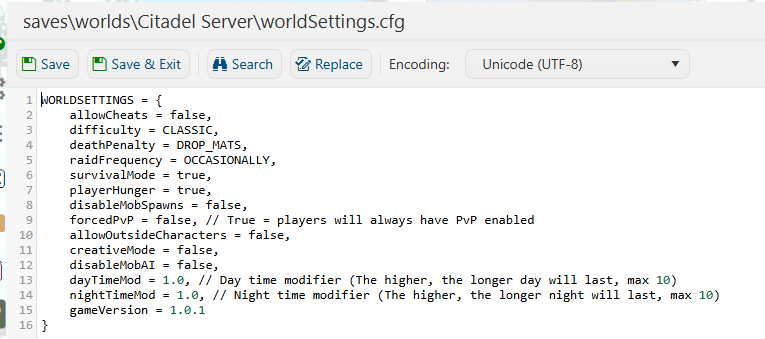
Adjust the values as desired.
Save the file and restart your server to apply changes.
Did the above information not work for you?
Please click here to contact our support via a ticket.
