

This guide will show you how to Turn Off Anti‑Cheat for your 7 Days to Die Server
Disabling the anti‑cheat system on your 7 Days to Die server can be useful when you’re testing mods, running custom scenarios, or troubleshooting gameplay issues that trigger false positives. The anti‑cheat feature is designed to protect servers from unauthorized modifications, but in heavily modded environments it can sometimes interfere with normal gameplay or block legitimate changes. This guide will walk you through why you might need to turn off anti‑cheat, what the setting actually does, and how to safely disable it so your server runs smoothly with the custom content you’ve chosen.
Disabling the Anti‑Cheat System on a 7 Days to Die Server
1. Log in to your Game Panel.
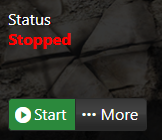
2. Before making changes, make sure the server is stopped.
3. Navigate to Configuration Files.
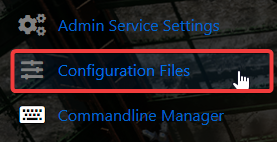
4. In the Configuration Files section, locate the serverconfigmain file and click the Text Editor to modify its contents directly.

5. Locate the EACEnabled line in the configuration file, change its value from "True" to "False", and save your changes. Once saved, you can start the server without the anti‑cheat enabled.

Did the above information not work for you?
Please click here to contact our support via a ticket.
