

This guide will show you how to disable structure collision on your ARK Survival Evolved Server
In ARK: Survival Evolved, building structures is a core part of gameplay whether you're crafting a fortress to withstand raids or designing a cozy base nestled in the wilderness. However, by default, the game enforces structure collision rules that prevent players from placing items too close to terrain, other objects, or even each other. While this helps maintain realism and balance, it can be frustrating for creative builders or server admins who want more freedom. Disabling structure collision allows for more flexible placement of items, enabling players to build in tight spaces, overlap structures, and create more intricate designs. This feature is especially popular on private servers and in custom modded environments where creativity and convenience take priority over strict placement rules.
Disabling Structure Collision on your ARK Survival Evolved Server
1. Login to your Game Panel.
2. Before making changes, make sure the server is stopped.

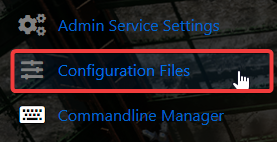
3. Navigate to Configuration Files.
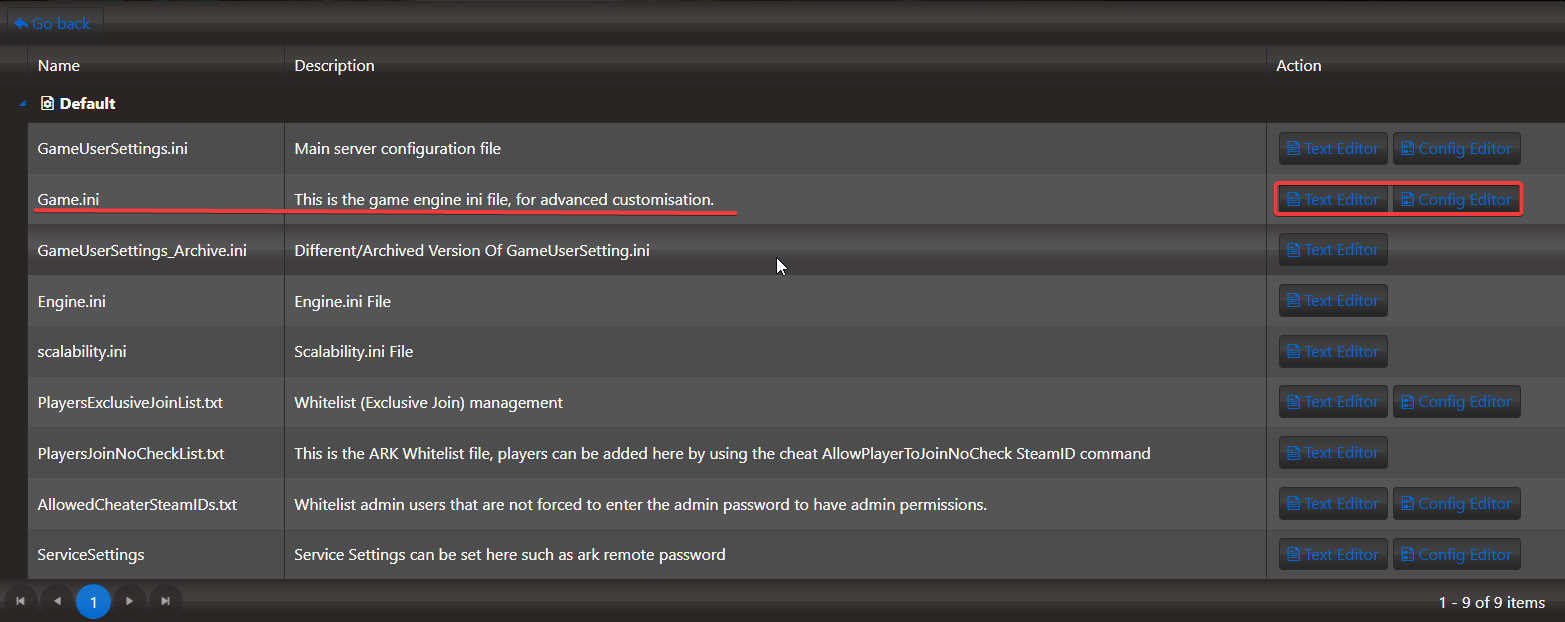
4. On the Configuration Files, look for Gameini file and click the Text Editor.
5. Add this specific script under [/script/shootergame.shootergamemode]
bDisableStructurePlacementCollision=true
6. After adding the script, click the Save button to apply the changes.

Start your server, you've successfully disable the structure collision!
