

This guide will show you how to perform a Clean Reinstall of your ARK: Survival Evolved Server
Performing a clean reinstall of your ARK: Survival Evolved server is often the most reliable way to fix persistent issues such as corrupted files, failed updates, missing assets, or mods that refuse to load correctly. A full reinstall clears out outdated or damaged data and replaces it with a fresh, verified copy of the game files, ensuring your server starts from a stable baseline. This process is especially useful when troubleshooting crashes, version mismatches, or problems that remain even after standard updates. In this guide, you’ll learn how to safely wipe and reinstall your server so it can run on a clean, consistent build again.
Reinstalling Your ARK: Survival Evolved Server
1. Log in to your Game Panel.
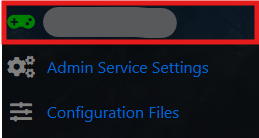
2. Navigate to your Server Dashboard/Home.
3. On the Server Dashboard, select the More option positioned next to the Start/Stop controls.
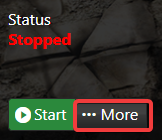
4. From the More menu, select the Reinstallation option. A progress window will open. Wait for the reinstall to finish and do not interact with the server during the reinstall to prevent any issues.

(NOTE: Reinstallation will wipe all server data, including your saved progress. Before proceeding, back up your files to your local computer to avoid losing any important data.)
Order an ARK: Survival Evolved game server with AA today!
