

This guide will show you how to fix ARK Server Update Failures
Update failures on ARK servers usually happen when the game files on the machine fall out of sync with the latest version released through Steam. When this mismatch occurs, your server may refuse to start, fail to install the newest patch, or repeatedly show update errors in your control panel. Fixing these issues involves verifying the installation, forcing a clean update, and ensuring that all server files, including mods, match the current Steam build. This introduction sets the stage for identifying why update failures occur and prepares you for the steps needed to get your ARK server running on the correct version again.
ARK Server Fails to Install Updates
1. Log in to your Game Panel.
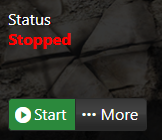
2. Before making changes, make sure the server is stopped.
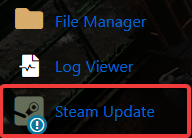
3. Navigate to Steam Update.
Your server will shut down and apply the update. Leave this window open so you can follow the update process.
FAQ
